This is how you switch the Porsche Piwis Tester 3 to Engineer Mode


This post will guide on how to switch the Porsche Piwis Tester 3 to Engineer Mode.

Go to the home page and select “System”
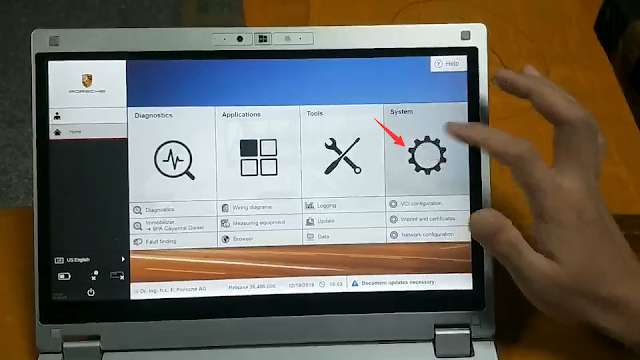
This is how you switch the Porsche Piwis Tester 3 to Engineer Mode-1

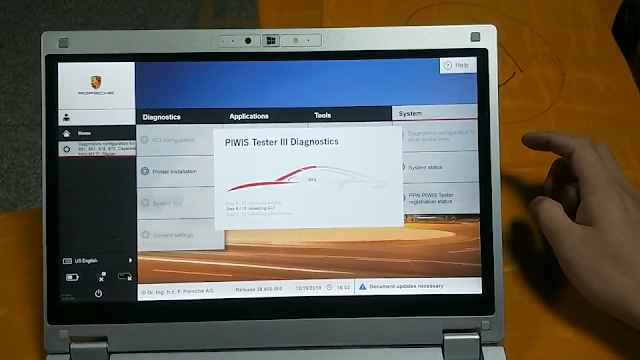
Enter the system homepage, click “diagnostics configuration for 991, 981, 970, Cayenne form MY11, Macan”.
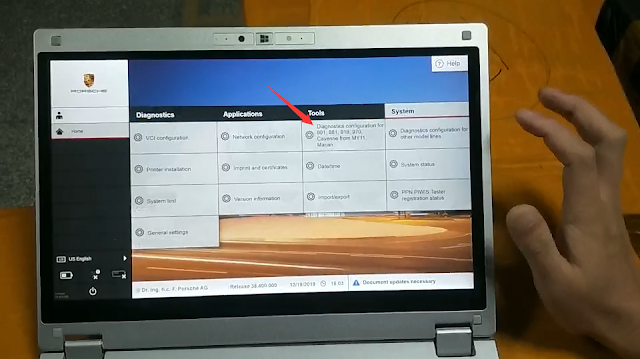
This is how you switch the Porsche Piwis Tester 3 to Engineer Mode-2

loading…
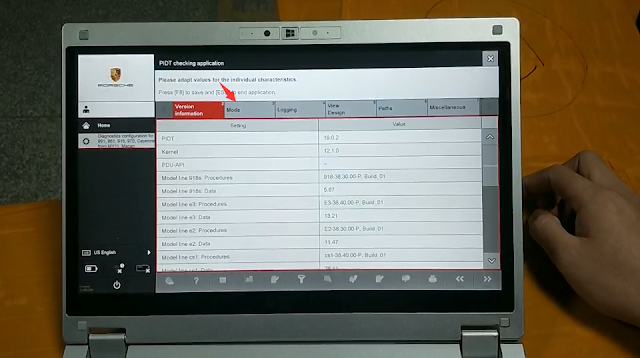
This is how you switch the Porsche Piwis Tester 3 to Engineer Mode-3

Finish loading, select “Mode”.
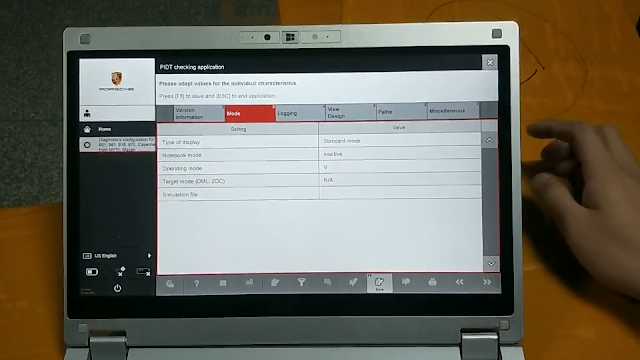
This is how you switch the Porsche Piwis Tester 3 to Engineer Mode-4 This is how you switch the Porsche Piwis Tester 3 to Engineer Mode-5

Select “operating mode”, choose “E”, then click “Save”.
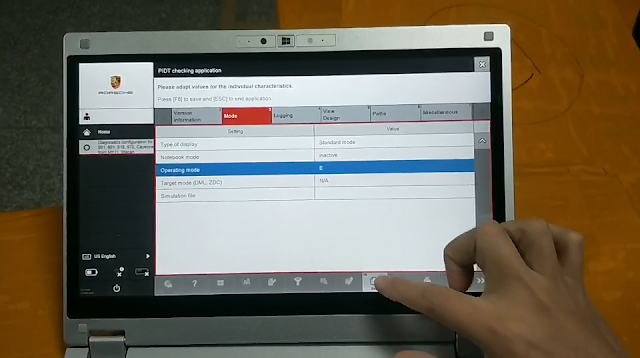
This is how you switch the Porsche Piwis Tester 3 to Engineer Mode-7

Now you’ve switched your Piwis 3 into the engineer mode.

Comments

Popular posts from this blog

How to Use PIWIS III to Reset Oil Service Reminder

How to connect the Porsche VCI3 PIWIS3 wireless

How to solve Porsche Piwis 2 software stuck on running issue